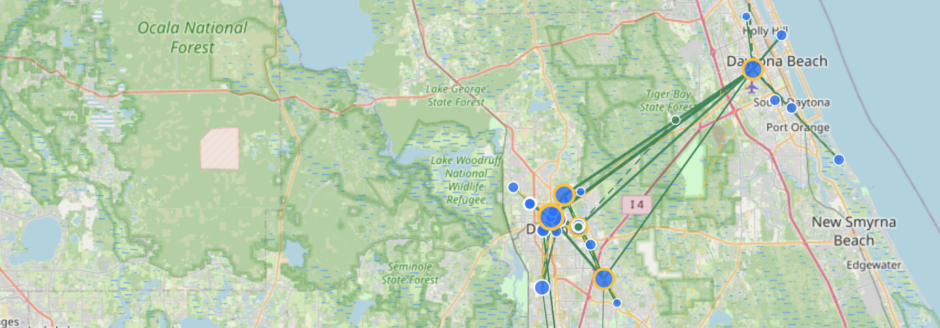
This page attempts to provide the new MeshCore repeater owner with what needs to be configured on a repeater and recommendations on additional settings to enable on a repeater. It should be noted that different regions may have different standards and the standards discussed here apply to the DAB region (Daytona Beach, FL / Volusia County). If other regions adopt these standards, then notes will be added to this page incorporating those regions.
There are actually two types of regions and it can be confusing if it is not understood which is being referred to.
The first is what I will call the administrative region. This region is assigned by the Meshmapper database which breaks the world up into regions based on IATA (i.e. airport codes). When regions such as DAB, TPA, ORL, TLH or SRQ are used (and in upper case) this is an administrative region. You can see the administrative regions by visiting https://meshmapper.net.
The second type of region is defined on the MeshCore repeaters and will be referred to as MeshCore regions. The MeshCore region is a simple text label that allows the repeater to determine if the message should be repeated or not. The default MeshCore region is * and is usually set to allow repeating. Additional MeshCore regions can be created by repeater owners to allow a message to only be repeated so far and is used to contain a message to a geographical region.
Frequency, Coding Rate and Spreading Factor
Within the DAB administrative region MeshCore nodes should be using the USA presets. The following table are the settings for the USA presets.
| Setting | Value |
|---|---|
| Frequency | 910.525 MHz |
| Bandwidth | 62.5 KHz |
| Spreading Factor | 7 |
| Coding Rate | 5 |
Only the coding rate (range 5-8) may be changed to improve error correction. Changing any other value will make it impossible to communicate with other MeshCore nodes and effectively will remove the node from the network. Increasing the coding rate should only be done if the connections are unreliable due to local interference.
Naming Suggestions
There really are no conventions on the naming of repeaters other than something reasonably descriptive and unique. In other words naming your repeater “Repeater” or “My Repeater” is not ideal as it is not descriptive nor unique on the network. Do you really want to see your paths as My Repeater -> Repeater -> Repeater -> Halimesh -> Another Repeater -> Repeater Somewhere Downtown? Not very useful.
If you are an Amateur Radio Operator, you are welcome to include your call sign in the repeater name. Many of us do. Some owners will use their first name or location in the repeater name. Sometimes owners will include the type of hardware that the repeater is. It is completely up to the owner to decide what the name of the repeater will be.
These naming suggestions apply to companion, sensors and room server nodes.
Repeater Tiers
In the DAB administrative region are classified as tier 1, tier 2 and fillin. The distinction is mostly a matter of how many peers the repeater has and the expected traffic load that it would handle.
Tier 1 repeaters are the primary repeaters across the network. They tend to be in high locations (80+ feet) and typically have anywhere from 8-30 peers. They form the backbone of the MeshCore network in the DAB region.
Tier 2 repeaters support the tier 1 repeaters and typically have connections to 1-3 tier 1 repeaters. They handle traffic for an area and are their height is typically in the range of 30-60 feet.
All the remaining repeaters are classified as fillin repeaters. They are used to address smaller geographical regions such as a portion of a neighborhood or a small complex. These sort of repeaters are usually found at an owner’s home or maybe in a public access area. Most fillin repeater heights are in the range of 5-25 feet.
Advert Intervals
Tier 1 repeaters should be set to advert every 12 hours. This is so that a non-responsive tier 1 repeater will be noticed more quickly and hopefully be addressed before it becomes a problem.
Tier 2 repeaters should be set to advert every 24-36 hours.
All fillin repeaters can advert 24 hours or greater.
Position Reports
It is preferred that repeaters provide position reports in their adverts. This allows the network map to be populated and gaps in coverage to be understood. If an owner has concerns over announcing where the repeater is located, it is acceptable to advert without a position report. One consideration that my strike a good compromise between the privacy concerns and desire to have up to date network information is to set the GPS coordinates near by so that it will be known that there is a repeater in the area.
Path Hash Size
It is strongly suggested that a repeater is configured to use multi-byte path hashes to avoid ID collisions on the network. The default when the firmware is loaded is to use 1-byte hashes (which allows at most 254 IDs before there is a collision). When configuring a repeater the path hash size should be set to 2-byte or 3-byte (preferred). This can be done in the repeater configuration at the flasher.meshcore.io site or in the repeater settings under the Network Settings tab. This setting only affects adverts sent by the repeater and direct messages to the repeater. It has nothing to do with the messages flowing through the repeater.
Region Scopes
MeshCore regions allow messages to be tagged with a region code that allows the message to be limited where it gets repeated and by what repeaters. The following table summarizes the MeshCore region codes that should be configured on a repeater. This can be done when remotely managing the repeater. In the Settings tab, you will find Manage Regions which will allow you to add or remove regions.
| Region Label | Flooding | Geographic Area / Use Case |
|---|---|---|
| * (default) | Allow | Allow flooding everywhere |
| dab | Allow | DAB admin region. Primarily Volusia County, but there is some overlap into neighboring counties that fall into the DAB region like Flagler County. |
| volusia | Allow | Volusia County. Messages that should remain in Volusia County. |
| fl | Allow | State of Florida |
The flooding column specifies how to handle the message received with the region code. There are two values that can be used allow and deny. In most cases allow should be used but there can be some cases where traffic with a region code is received that does not need to be repeated. In this case setting the specific region code to deny will stop the propagation of the message.
Again, the above table is built for the DAB administrative region and really does not apply to other regions. I am happy to document other regions if the admins communicate to me with their region code plans.