dab-bot Commands

dab-bot – Command Reference

dab-bot

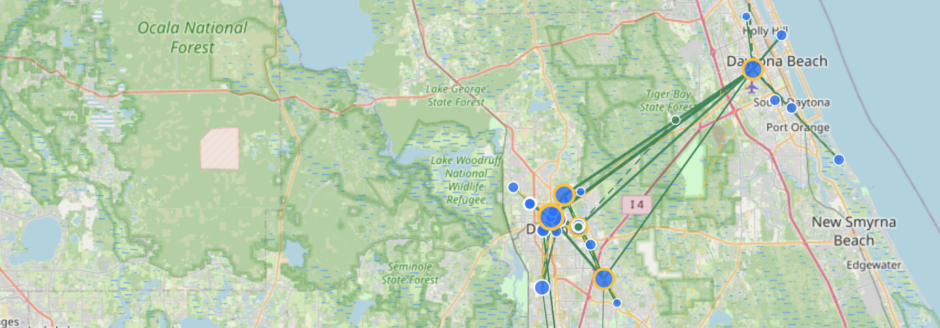
Hi, I'm dab-bot! I provide various commands to help you interact with the mesh network. Use the commands below to get started. I’ll answer you if you send a message in #bot, #wt0f, #emergency, #volusia, #wx, #test, #Volusia ARES, #nets, or #alerts.

Basic Commands

channels

channel

Lists hashtag channels with sub-categories

channels [list|category|#channel]
Parameters:
list Show all channel categories
category Filter by category name
#channel Get info on a specific channel

cmd

cmds command commands

Lists available commands

cmd

contact

Display the bot's contact information

contact

hello

hi hey howdy greetings salutations +25 more

Responds to greetings with robot-themed responses

hello

help

Get help on available commands

help [command]
Parameters:
command Command name for detailed help (optional)

net

Manage ham radio nets

net <create|list|delete> [NAME]
Parameters:
subcommand create, list, or delete
name Name of the net (required for create/delete)

ping

Get a quick 'pong'response from the bot

ping

test

t

Get test response with connection info

test [phrase]

version

ver

Show running bot version

version

whois

Display callsign information

whois [callsign]
Parameters:
callsign Callsign to lookup

Analytics

stats

Show bot usage statistics for past 24 hours

stats [messages|channels|paths|adverts]
Parameters:
type messages, channels, or paths (optional)

Emergency

alert

alerts incident incidents

Get active emergency incidents from connected alert services

alert <location>
Parameters:
location City, zip code, county, or street address

Entertainment

joke

jokes

Get a random joke

joke [category]
Parameters:
category programming, pun, misc, dark (optional)

Fun Commands

dadjoke

dad joke dadjokes dad jokes

Get a random dad joke

dadjoke

hacker

sudo ps aux grep ls -l ls -la +24 more

Try Linux commands and get supervillain mainframe errors

<linux_command>

funfact

funfacts fun fact fun facts fun-fact fun-facts

Returns a random line from a configured text list.

funfact

momjoke

momjokes mom joke mom jokes mom-joke mom-jokes

Returns a random line from a configured text list.

momjoke

Games & Entertainment

dice

Roll dice for tabletop games

dice [NdX|dX|decade]
Parameters:
dice Dice notation: d6, 2d8, d10 d6, decade

magic8

Ask the Magic 8-Ball a yes/no question

magic8 <question>

roll

Roll a random number between 1 and X

roll [max]
Parameters:
max Maximum value (default: 100, max: 10000)

General Commands

airplanes

aircraft planes adsb overhead

Get aircraft overhead using ADS-B data

airplanes [lat,lon|here] [radius=N] [options]
Parameters:
location Coordinates or here for your companion's location if advertised
radius Search radius in nautical miles (default: 25)
filters alt=, type=, military, closest, etc.

Mesh Network Info

multitest

mt

Listens for 6 seconds and collects all unique paths your incoming messages took to reach the bot

multitest

path

decode route p

Decode path data to show repeaters involved in message routing

path [hex_data]

prefix

lookup

Look up repeaters by prefix and show their locations (if known)

prefix <2|4|6 hex chars|free|refresh>
Parameters:
prefix Prefix in hex (2, 4, or 6 chars = 1–3 bytes); longer input truncated to 6 chars
free Show available/unused prefixes (may be disabled)

trace

tracer

Run link trace (manual or reciprocal path)

trace [path] or tracer [path]

Solar & Astronomical

aurora

kp

Get aurora forecast (KP index and probability) for a location

aurora [city|zipcode|lat,lon]
Parameters:
location Optional: city, US ZIP, or lat,lon. Default: config or companion location.

hfcond

Get HF band conditions for ham radio

hfcond

moon

Get moon phase and rise/set times

moon

satpass

Get satellite pass predictions

satpass <NORAD_number|shortcut> [visual]
Parameters:
satellite NORAD ID or shortcut (iss, hst, starlink)
visual Add 'visual' for visible passes only

solar

Get current solar conditions and HF band info

solar

solarforecast

sf

Get solar panel production forecast for a location or repeater

sf <location> [watts] [azimuth] [angle]
Parameters:
location City, coordinates, or repeater name
watts Panel size in watts (default: 100)
azimuth Panel direction, 0=south (default: 0)
angle Panel tilt in degrees (default: 30)

sun

Get sunrise and sunset times

sun

Weather Commands

aqi

air airquality air_quality

Get Air Quality Index for a location

aqi <city|neighborhood|coordinates|help>
Parameters:
location City, neighborhood, lat/lon, or 'help'

gwx

globalweather gwxa

Get weather for any global location using Open-Meteo API

gwx <location> [tomorrow|<N>d|hourly]
Parameters:
location City name, country, or coordinates
option tomorrow, Nd (e.g. 7d, 10d), or hourly (optional)

rain

nowcast snow

Rain/snow nowcast (when precip starts/stops) for a location

rain|snow [city|zipcode|lat,lon]
Parameters:
location Optional: city, US ZIP, or lat,lon. Default: companion or bot location.

wx

weather wxa wxalert

Get weather for a US location using NOAA weather data

wx <zipcode|city> [tomorrow|<N>d|hourly|alerts]
Parameters:
location US zip code or city name
option tomorrow, Nd (e.g. 7d, 10d), hourly, or alerts (optional)

Available Channels

These are semi-public channels that are in use on our local mesh! Join them to connect with others with common interests!
To add these channels to your client, click on the three dot menu and select “Add Channel”.

General Channels

#bot
Channel for talking to software bots
#test
Do your testing here rather than the Public channel
#wx
Weather alerts and forecasts

Emergency

#emergency
Emergency communications and alerts

Local

#daytona
Daytona Beach city wide communications
#deland
DeLand city wide communications

Region

#florida
State wide communications
#volusia
Communications channel for Volusia County

Generated command reference for dab-bot